
Google has been in the news a lot lately…and we mean A LOT. We’ve seen browser extension warnings, password recovery warnings, a slick scam that claims to be from Google Technical Support, and several others. Now, a new phishing scam is making the rounds, targeting users with alarming messages that claim Google has received a subpoena to access their email account. It’s 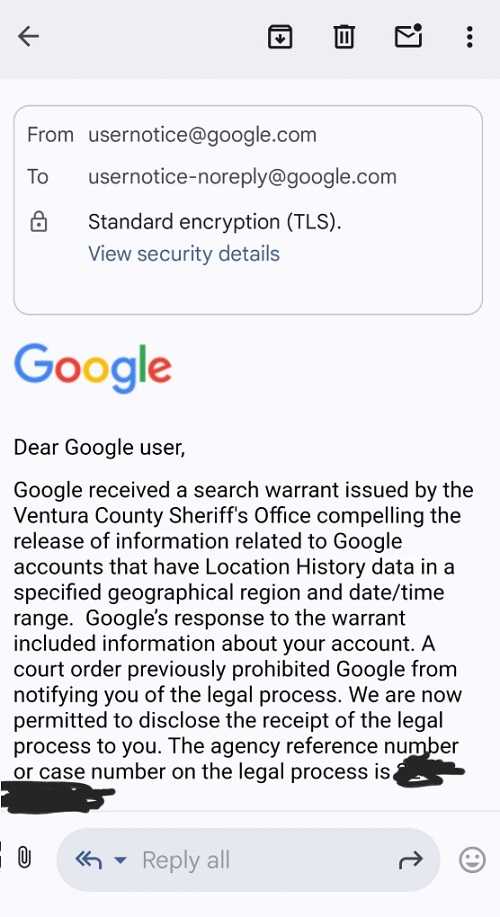 getting difficult to keep up with all of these.
The fraudulent email appears official, using the Google logo and legal language to scare recipients into taking immediate action. Victims are typically urged to click on a link or download a document to "review the subpoena" or "take action" before their account is compromised. This scam uses Google’s own tools to make it even more realistic and to allow the emails to bypass authentication checks and still land in your in box, rather than your spam box.
The attack is designed to steal your personal information, including your email login credentials and other sensitive data. Once credentials are entered into the fake screen, the attackers gain full access to the user’s account. This could lead to identity theft, financial fraud, or the victim’s account being used for further phishing attacks.
Google does not send legal subpoenas to users via email. If you receive such a message, do not click any links, download any files, or reply to the sender. Instead, report the email as phishing through your email provider and delete it immediately. Always verify suspicious messages by going directly to the official website or contacting support through trusted channels.
The good news is that Google is now working on a fix for this after it was reported as a bug by a researcher. Until then, use multifactor authentication on your account and ensure your password is strong. That means using at least eight characters that is not easy to guess. As always, stay cautious—when in doubt, don’t click.
For banks and credit unions
Share this article with your members
Copy a ready-made summary and link for your newsletter, website or social posts.