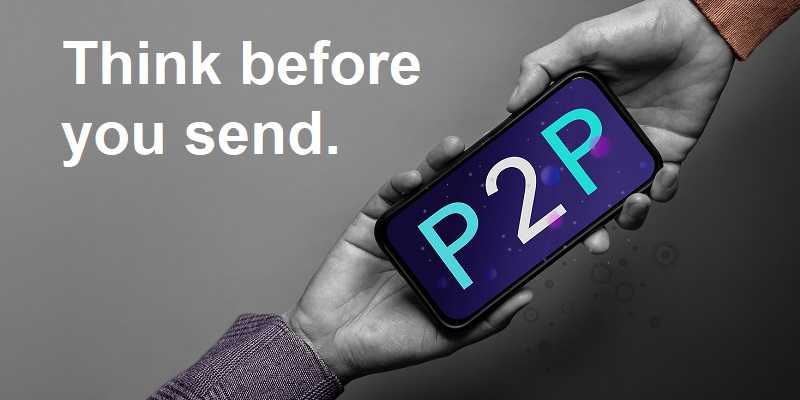
Mobile wallets such as Apple Pay and Google Pay offer a convenient and generally secure way to make purchases. Unfortunately, criminals have found a way to abuse the process used to add payment cards to these services.
In this scam, a criminal adds someone else’s debit or credit card to a mobile wallet on a device the criminal controls. Once the card is approved, the criminal can use the phone to make purchases, even though the physical card is still safely in the owner’s possession.
How Does the Scam Work?
The criminal must first obtain the information from a debit or credit card. This may happen through a phishing email, text message, fake shopping website, data breach or telephone scam.
With the stolen card information, the criminal attempts to add the card to Apple Pay, Google Pay or another mobile wallet. The financial institution may then send the legitimate cardholder a verification code or approval notification.
This is where social engineering often enters the attack.
The criminal may call or text the victim while impersonating the victim’s bank or credit union. The criminal might claim that suspicious activity has been detected and that a verification code is needed to stop the fraud. In reality, that code authorizes the criminal’s device to use the victim’s card.
Once the victim shares the code or approves the notification, a digital version of the card is activated on the criminal’s phone.

Can the Same Card Be on Multiple Devices?
Yes. A payment card can legitimately be added to more than one device. For example, someone might have the same card available on an iPhone, an Apple Watch and another personal device.
Each device receives its own digital payment credential. Therefore, adding the card to a criminal’s device does not necessarily remove it from the legitimate cardholder’s phone. The victim’s mobile wallet may continue working normally while the criminal is using another authorized version of the card.
Doesn’t Apple Pay Prevent This?
Apple Pay includes strong security protections. It does not store the actual card number on the device or provide it to merchants. Instead, it uses a device-specific digital credential to process transactions. Payments must also be authorized using Face ID, Touch ID or the device passcode.
However, the card issuer, not Apple, ultimately determines whether a card can be added to a particular device.
If a criminal possesses the card information and successfully completes the financial institution’s verification process, Apple may receive confirmation that the card is approved. Apple Pay then protects the digital credential on the criminal’s device just as it would on the legitimate cardholder’s device.
Face ID can confirm that the person making the purchase is authorized to use that phone. It cannot determine whether that person is the rightful owner of the payment card that was added to it.
How to Protect Yourself
You can reduce your risk by following these precautions:
-
Never give a verification code to someone who calls or texts you. Your financial institution will not need you to read back a code to stop fraud.
-
Read every security message carefully. A legitimate message may specifically state that the code is being used to add a card to a mobile wallet.
-
Never approve an unexpected request. If you receive a notification asking permission to add a card to Apple Pay, Google Pay or another wallet, deny it unless you initiated the request.
-
Do not trust caller ID. Criminals can make a call appear to come from your financial institution.
-
End unexpected financial calls. Contact your bank or credit union using the number on the back of your card or inside its official mobile application.
-
Avoid entering card information through links in unsolicited emails, text messages or online advertisements.
-
Use strong, unique passwords for your financial and email accounts. Enable multifactor authentication whenever it is available.
-
Turn on transaction alerts. Immediate purchase notifications can help you detect unauthorized activity quickly.
-
Review your accounts regularly. Pay attention to small unfamiliar transactions, which criminals may use to test whether a stolen card is active.
What Should You Do If It Happens?
If you receive a mobile-wallet verification code or approval request that you did not initiate, contact your financial institution immediately.
If you believe a card has already been added to someone else’s device:
-
Lock the card using your financial institution’s mobile application, if that option is available.
-
Call the number on the back of the card and report the unauthorized mobile wallet.
-
Ask the institution to remove or suspend every unfamiliar digital-wallet token associated with the card.
-
Review recent transactions and dispute unauthorized purchases.
-
Change the passwords for your online banking and email accounts.
-
Contact your mobile carrier if your phone unexpectedly loses service, which could indicate an unauthorized SIM change.
-
Continue monitoring your accounts for additional suspicious activity.
Replacing the physical card may not be enough unless the unauthorized mobile-wallet credential is also identified and disabled. Make sure the financial institution understands that the incident involves a card added to an unknown device.
The Important Thing to Remember
A verification code is not always confirming your identity. Sometimes it is authorizing a new device to use your money.
Never share a code or approve a request unless you personally started the action and understand exactly what you are approving.
For banks and credit unions
Share this article with your members
Copy a ready-made summary and link for your newsletter, website or social posts.