
At some point in your life, you may have clicked something you shouldn’t have. Maybe the email looked legitimate. Maybe it was the rush of your daily life. Maybe it appeared to come from someone you trust. The truth is that mistakes happen. What determines the impact, however, is not the click itself. It is the actions you take within the first ten minutes afterward.
While you’re likely to go into panic mode, you shouldn’t. The most important thing you can do is stay calm. Panic leads to poor decisions and as we’ve learned before, that’s exactly what cybercriminals want you to do. So, with all that anxiety building, people sometimes begin randomly closing windows, deleting emails, or attempting to fix the situation themselves.
That instinct is certainly understandable, but the truth is, it can actually make things worse. When at work, your security team relies on system logs and digital evidence to determine what occurred. If you start trying to fix it right away and that information gets destroyed, it becomes much harder to assess the risk and contain the issue.
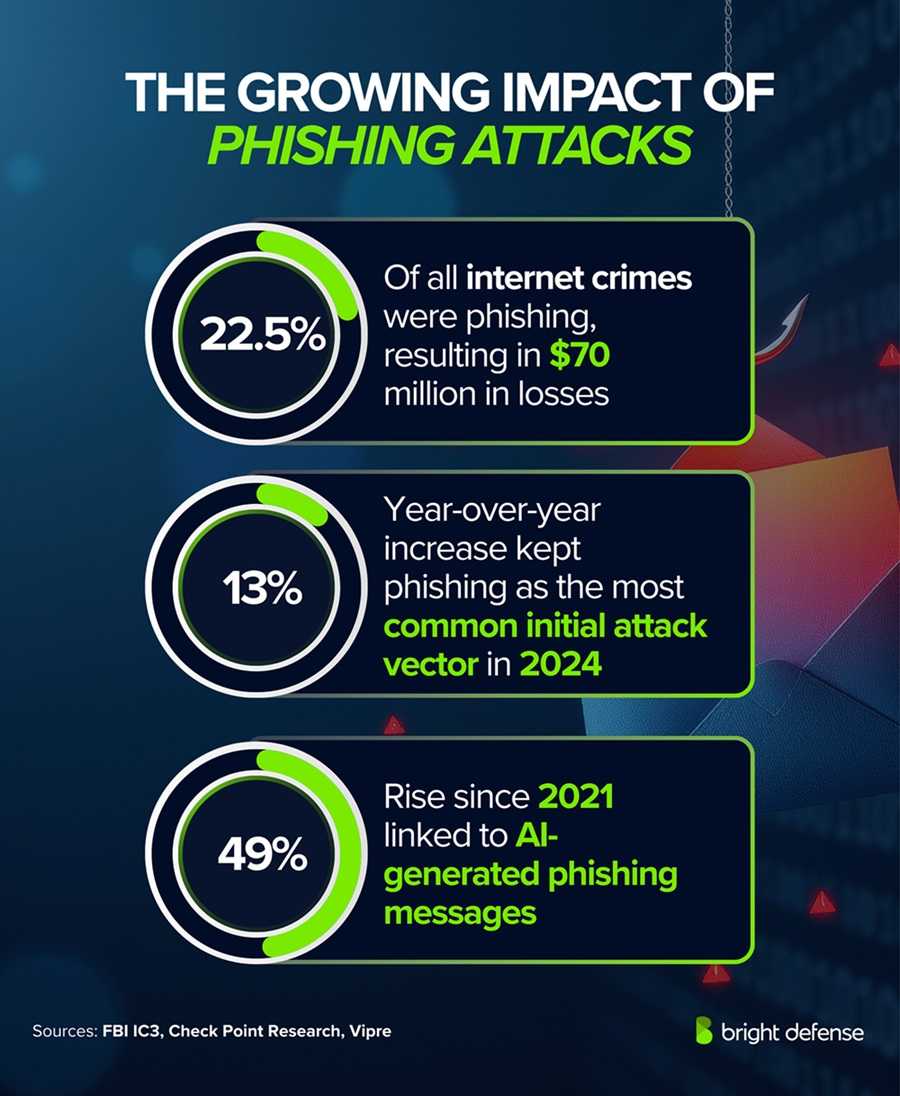 Here’s what you should do at work.
If you clicked a suspicious link or opened an attachment, disconnect your device from the network. Turn off Wi-Fi or unplug the network cable. Unless specifically instructed by IT, do not power down the machine. Shutting it off can eliminate volatile data that may help investigators understand whether malware executed or credentials were transmitted.
Next, report the incident immediately. Contact your IT department, security team, or supervisor according to your organization’s policy. Be clear about what happened. Share the time of the click, what you entered (if anything), and what you observed on the screen. If possible, capture a screenshot before disconnecting. The faster security professionals are alerted, the faster they can contain potential damage.
If you entered your username and password into a suspicious page, change your password immediately. Preferably, do this from a different device. Inform IT that credentials were entered so they can monitor accounts and logs for unusual activity and take action accordingly. Do not assume that nothing happened simply because your computer appears normal. Many modern attacks are designed to operate quietly in the background.
Here’s what you should do at home.
When you are at home, you likely don’t have an IT or security team ready to investigate. That means the responsibility falls on you, but the same rule applies: Stay calm and act quickly. Your response will depend on what you clicked, what information you entered, and which accounts or devices may have been exposed.
If you think you clicked on something malicious, disconnect the device from the internet and stop entering information immediately. Using a different, trusted device, change the password for the affected account and any other accounts using the same password, then enable multifactor authentication. Run a full security scan, review your accounts for unfamiliar activity, and contact your bank or credit card provider right away if financial information may have been exposed. Continue monitoring your accounts, and report any suspicious activity immediately.
What you should not do is just as important.
Do not ignore the situation or wait until the end of the day. Do not hope the problem disappears and do not revisit the suspicious link to “check it again.” That’s just asking for trouble. Silence gives attackers time to move around the network, escalate privileges for themselves, add backdoor access, or steal data.
Do not ignore the situation or wait until the end of the day. Do not hope the problem disappears and do not revisit the suspicious link to “check it again.” That’s just asking for trouble. Silence gives attackers time to move around the network, escalate privileges for themselves, add backdoor access, or steal data.
Here’s the takeaway.
Security incidents are often successfully contained or stopped when reported quickly. The initial mistake rarely causes the most harm, but delayed reporting does. If you think you may have clicked something malicious, try not to be embarrassed. Say something immediately. That single decision can prevent a minor incident from becoming a major breach or personal disaster.
Security incidents are often successfully contained or stopped when reported quickly. The initial mistake rarely causes the most harm, but delayed reporting does. If you think you may have clicked something malicious, try not to be embarrassed. Say something immediately. That single decision can prevent a minor incident from becoming a major breach or personal disaster.
For banks and credit unions
Share this article with your members
Copy a ready-made summary and link for your newsletter, website or social posts.