

We would all like to think that cyber criminals have become bored with stealing online banking credentials. Unfortunately, they are a persistent lot and online banking customers continue to be targeted. According to a report by Kaspersky Labs report “IT Threat Evolution in Q3 2015,” there were over 5.6 million registered notifications of malware infections hoping to rob online banking customers by getting ahold of their login credentials. Remember that this is merely for the third quarter of the year. Criminals have turned malware into a multi-billion dollar industry.
Our beloved mobile devices continue to be targeted. Over 2,500 mobile banker Trojans (quadrupling previous numbers) were detected and 1.5 million malicious packages were installed on mobile devices.
The likelihood that these numbers will decrease dramatically is low. In fact, with increased use in mobile banking and of mobile devices in general, it is expected to increase and the types of attacks will become more sophisticated over time. Don’t let that stop you from using your devices and from using online services. While there are risks associated with them, they also make it very convenient for users to stay on top of their financial information.
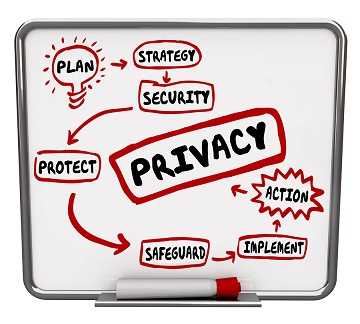 Here are some great tips to keep your information as secure as possible:
- Try to avoid doing financial business when on public WiFi. Even if there is a password for the connection, most cafes, coffee shops, restaurants, or any place you might be waiting on a service, will post it on where it’s easy for anyone to use. This leaves open the opportunity for someone to intercept all communications going through it, including your login credentials. If you must login, use your cellular data. It’s not foolproof either, but the security risk is lower.
- Mobile devices are vulnerable to malware too. The same report noted 323,374 malicious mobile programs. Install mobile anti-malware software on them and keep it updated and active.
- Keep all computers you use to perform financial business online updated with the latest patches. If support for your operating system is being discontinued, upgrade to one that is still supported. When companies stop supporting products, they also stop patching it which leaves those systems vulnerable.
- Check into your financial institution’s options for multi-factor authentication. Take advantage of it when it is offered. This adds another layer of protection to your accounts.
- Construct strong passwords for all online accounts and never use the same ones for multiple accounts. Consider using a six or eight character core password and bookending it with characters from each website you use. For example, your core password could be B17@cq and you frequently visit “thiscompany.” Your password could become “tB17@cqy” for that site.
- Don’t download apps from locations other than official app stores for your device. Sideloading, which is getting them from locations other than these stores, increases the risk of malware making its way onto your device.
- Remember to change passwords for your online accounts regularly. It’s best to do this at least quarterly.
In other news, Adobe Flash and Internet Explorer continue to be popular among the cyber criminals. Secure all of your browsers with the latest patches as well and check the security and privacy settings to make sure they are at a safe browsing level (medium-high and above is recommended).
However, let’s end on an up note. The report did find that exploits in Adobe Reader have decreased from the previous quarter. Likely this is due to the decrease in spam messages containing malicious PDF attachments. It’s a bit of good news and we’ll take it.
For banks and credit unions
Share this article with your members
Copy a ready-made summary and link for your newsletter, website or social posts.




