This week, Microsoft released a plethora of patches for its various operating systems and other related software. One of the vulnerabilities is so serious that the company chose to repair it in some Windows versions that it no longer officially supports. Not to be outdone, Adobe also released some critical patches to address issues in Adobe Flash Player and Adobe Shockwave; both are products that arguably, very few actually need to have installed on their systems.
 Per the network security company Qualys, 27 of the 94 released patches from Microsoft address remote exploits, which can be used by bad actors to take control of systems from afar. In addition, those would take very little to no interaction by users to succeed in making it onto the systems.
One of the patches was so serious that Microsoft chose to create fixes for Windows XP and Windows Server 2003. Both are products the company stopped supporting years ago. This issue repairs the SMB service which deals with file and printer sharing. Although this is a different one, it was the same type of vulnerability that was exploited to pull off the recent WannaCry ransomware attack. These flaws are so serious because they can be used to self-replicate to all other vulnerable machines on a network very quickly. This is exactly what WannaCry did.
 Even if only a couple of critical patches are released at any given time, they should be applied right away. The longer these vulnerabilities exist, the more likely the cybercriminals will take advantage of them. So, don’t delay and make sure to check out Microsoft’s support pages to ensure the most recent ones are applied on your systems.
If any of the systems you are using are not officially supported by Microsoft or any other developer, consider updating them. Even though Microsoft went outside it’s normal patch development to fix XP and Server 2003, there is no guarantee they will do it again. These systems haven’t been supported for several years, so even though they were addressed this time, there could be many other security flaws remaining on them that the company hasn’t and won’t fix. So, update to a supported version as soon as possible.
 Microsoft Outlook also got attention this week. A flaw that could allow attackers to take control over the computer was fixed. If a specially crafted email message was merely viewed, it could be exploited. The user isn’t required to open an attachment or click a link for this one.
Adobe also addressed some issues in Adobe Flash Player and Adobe Shockwave Player. Arguably, neither of these products is needed anymore and unfortunately, they are frequently used by bad actors to get malware deployed. If there is no need to have them installed, just get rid of them. Few people need Shockwave. Perhaps a few more may need Flash Player. If you do need these, disable them and only enable them when they are needed for something specific.
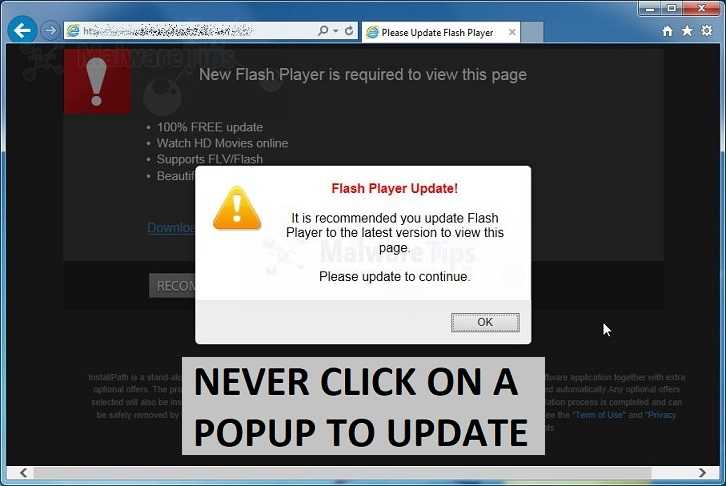
Cybercriminals also use Adobe updates to trick users into giving up information or to get malware installed. Often, they will popup a dialogue box saying the version of whatever Adobe product needs to be updated. Instead of installing from any popup box, go directly to Adobe’s website for Flash Player and update from there.
Chrome and Internet Explorer should automatically update when you restart those browsers. So, if you’re one to leave them open for weeks on end, take some time now to restart them so the latest patches can get applied. Other browsers may not automatically update, so you will need to go into the settings and find out how to do that manually.
If there is any doubt how to apply patches for any product, visit the support pages for those products.
For banks and credit unions
Share this article with your members
Copy a ready-made summary and link for your newsletter, website or social posts.