


How often do we all get Microsoft Word Docs attached to work and personal emails? The answer seems to be “too often.” It looks like scammers have latched onto this answer and they’re not letting go. Ever more sneaky, cyber crooks continue worming their way into our everyday world. Especially by finding new ways to exploit our trust and our tendencies toward lax security. User beware, this latest scheme targets those everyday Word docs.
It’s a slick trick, even to the tech savvy among us. It looks legit, sounds legit, and it’s anything but legit.
There’s now a feature called Microsoft Dynamic Data Exchange (DDE), and cyber creeps know how to take advantage of DDE. They’ve moved on from sending bogus Word docs which required the user to open them in order to infect a device. Using DDE has opened new doors for cyber thieves.
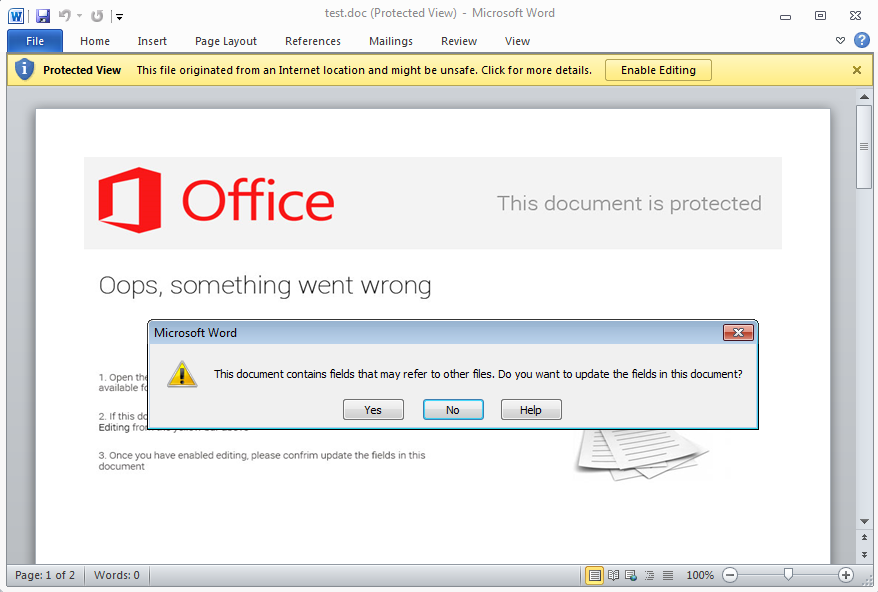
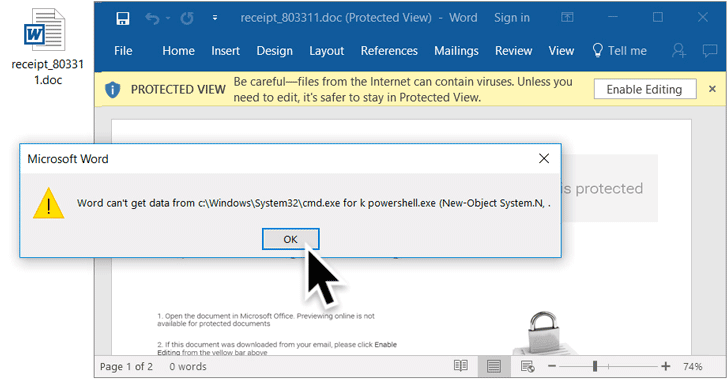
You now need to beware of receiving attached documents that require a “yes” or “ok” confirmation to download what is really malware, ransomware, and countless other maladies. Do not respond to any such confirmation. The best thing is to immediately close and delete the email. However, if you’re already sucked in, you’ll most likely see 3 prompts pop-up, requiring more “yes” or “no” clicks. Get out as soon as you can and run security software.
You’ll do yourself a solid favor by remembering these security steps and by spreading the word.
 Perhaps the best advice is to know is that legitimate Word docs don’t require any of these malicious steps using popups.
- Never open anything from a sender you don’t know or if the attachment isn’t expected.
- Always use strong passwords and two-factor authorization whenever it’s available.
- Use strong security software from a trusted and legitimate source. It’s not the time to be cheap or download from untrusted sources.
For banks and credit unions
Share this article with your members
Copy a ready-made summary and link for your newsletter, website or social posts.




