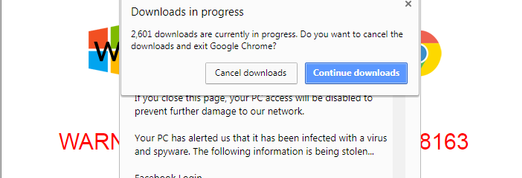
Often touted by computer nerds and cybersecurity experts alike as the most secure Internet browser, Google’s Chrome is under attack by scammers. They’ve taken the infamous tech support scam, where users are tricked into giving up payment card and other details under the ruse of help for a computer problem, and created a method to “freeze” Chrome. The idea is that users panic and think they have no choice but to call the number on a popup dialogue box for help.
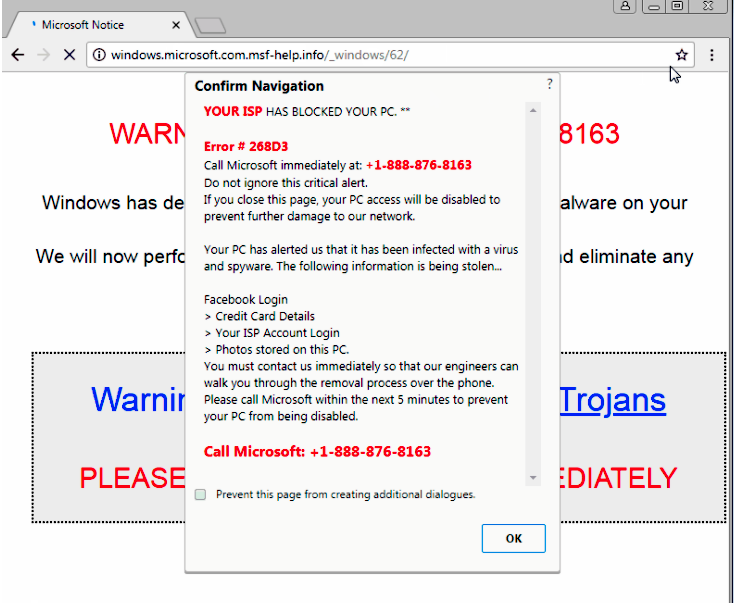 Never fear though. It is indeed a clever trick. First, a message appears that some type of problem occurred and the ISP blocked the offending computer. Your Facebook login is, according to the alert, being stolen, your payment card details are being stolen, and other scary things are happening. Then, they “freeze” the browser by sending thousands of files super quickly so that Chrome doesn’t have a chance to react. The users think they have a problem, but in fact this is just using up resources and causing a halt to the browser. So far, it seems to be hitting Windows users on Chrome version 64.0.3282.140.
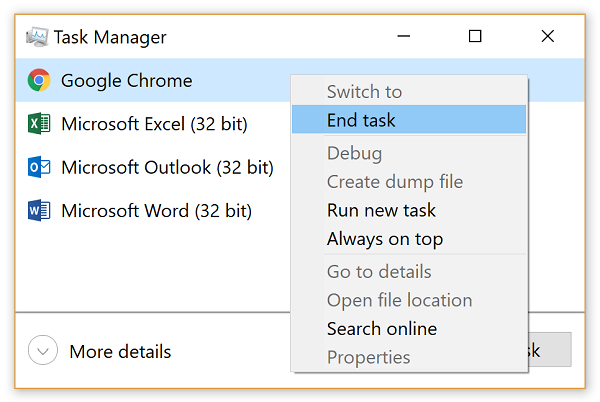 The scammers leave a “convenient” toll free number to call for help, but don’t. Instead, close the box if possible. If that doesn’t work, there is another way to make it close. Just go to the Windows Task Manager (usually this can be done by holding control-alt-delete) and stop the Chrome browser. Yes, you’ll lose anything you haven’t saved, but isn’t that better than getting scammed?
If you are on a MacOS, this technique can still work. In that case, go to the Apple menu and do a force quit of the Chrome browser.
If these don’t work (although there is no reason to believe they won’t), restart your computer.
 To avoid getting these and other types of annoying popups, consider using ad-blocking software. There are several to choose from, regardless of your operating system. Some cost some dough and others are donation-based. Some are even freebies. There is something that will work for you. Just research the options and make sure it isn’t malware too.
The reason to consider these is because malware is often delivered in online advertisements. If the ads are blocked, there is a lot less risk of getting an infection.
Also make sure your devices are kept updated with the latest versions of all the software and especially with the most recent security patches. This can also lessen your risk of getting hit by malware or another type of attack.
The Malwarebytes researchers did not test this on Linux, but there is no reason to doubt that this or some similar method will work on it. This particular attack seems to target Chrome only. However, it’s only a matter of time before someone modifies it to work on other browsers. Always keep those updated too.
For banks and credit unions
Share this article with your members
Copy a ready-made summary and link for your newsletter, website or social posts.