There is yet another example of how cybercriminals and their tools do not discriminate against the size of a company or the industry. This particular ransomware, that’s been punching its way around the globe since December is knocking out all in its tracks. It also creatively uses video game affiliations in its attacks. Cisco Talos researchers found ransomware that uses images of the popular game Mortal Kombat in the ransomware notes it leaves behind.
To avoid being kicked by this ransomware (which as of now affects Windows), be wary of phishing email warning of a payment timing out using the crypto trading platform CoinPayments. Inside that email is a .zip attachment that contains a downloader that’ll put Mortal Kombat ransomware on your device. Once it’s made its way on there, it encrypts all files; including those in the “recycle bin” of your Windows machine. It’ll also corrupt any virtual machines and Windows Explorer, as well as will delete files and disable the “Run” command.
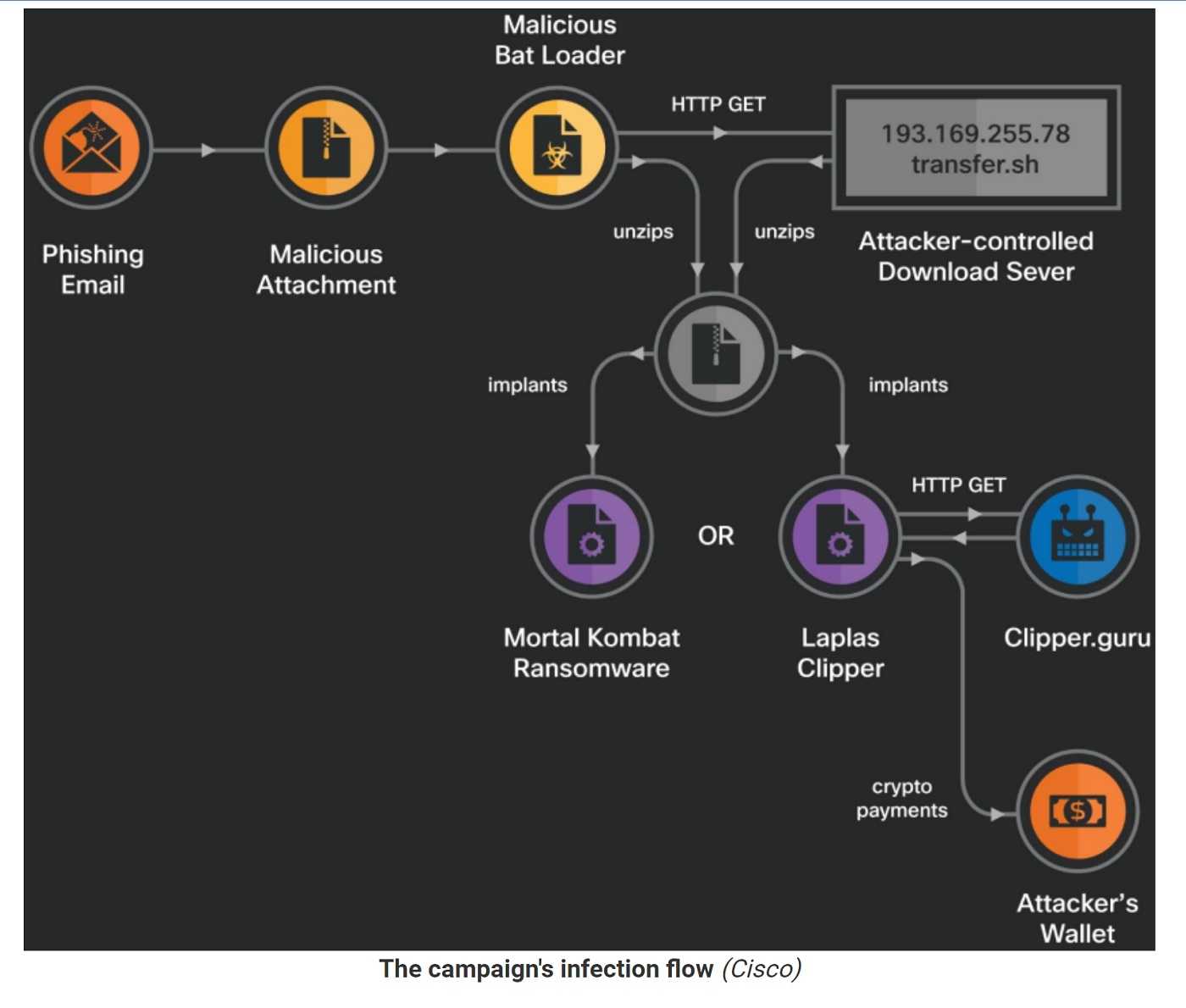
Even after all of that, it’s not finished kicking you while you’re down. It may also download Laplas Clipper, which monitors the clipboard for cryptocurrency wallet addresses. If it spies one, it’ll send it back to the attacker. Of course, once they have that address, they empty the associated wallet.
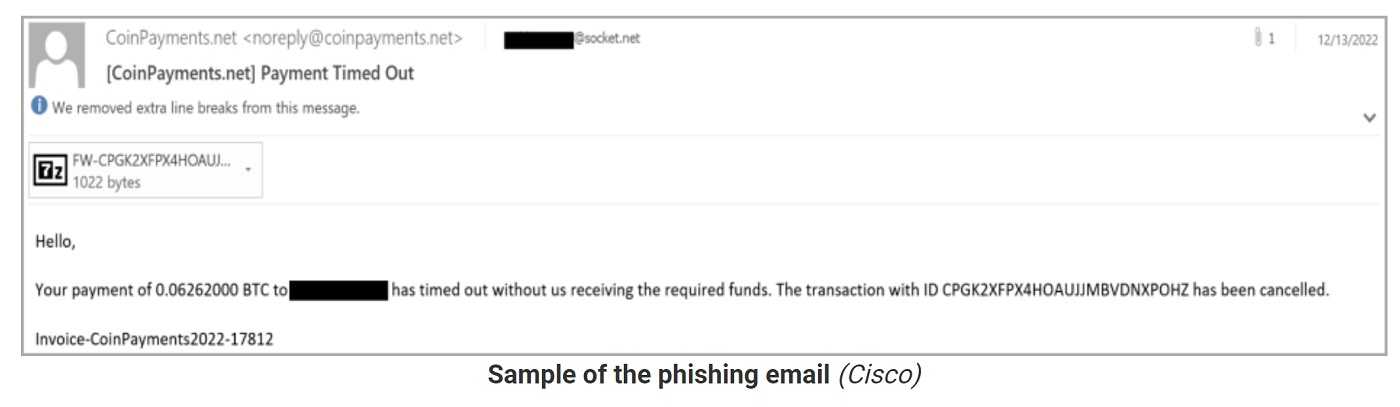
The email message has a malicious zip attachment that contains a BAT loader script. When opened, downloads a second zip file from a remote resource. This archive contains one of the two malware payloads.
After the loader script executes the downloaded payload as a process in the compromised system, it will delete the downloaded files to minimize chances of detection.
Researchers found an association between this ransomware to one that’s been around since 2010, even though the Mortal Kombat version is new. They believe it’s a variant of Xorist. To avoid this ransomware, be wary of any phishing email from unknown senders containing unexpected attachments, or that asks for any of your credentials. If you must check on a CoinPayment transaction, go directly to that and log in without clicking links or attachments.
It’s also a good idea to back up your computers and mobile devices. Then you will only need to restore them should you accidentally download malware. These are surefire ways to give this ransomware a 1-2 punch.
For banks and credit unions
Share this article with your members
Copy a ready-made summary and link for your newsletter, website or social posts.