Cybercriminals have found a clever twist on an old trick: instead of breaking into your account, they convince you to open the door so they can waltz right in. Security researchers at Malwarebytes are warning about a sophisticated scam targeting Gmail users through fake “security check” pages. At first glance, everything looks legitimate. Of course, if we’re warning you about it, it obviously isn’t.
The page mimics Google’s real security tools and guides you through steps that appear helpful and protective. But behind the curtain, something very different is happening.
Victims are often lured in through phishing emails, texts, or pop-ups claiming there’s an urgent issue with their account. Click the link, and you’re taken to a convincing replica of a Google security page. From there, the site walks you through installing what looks like a security tool.
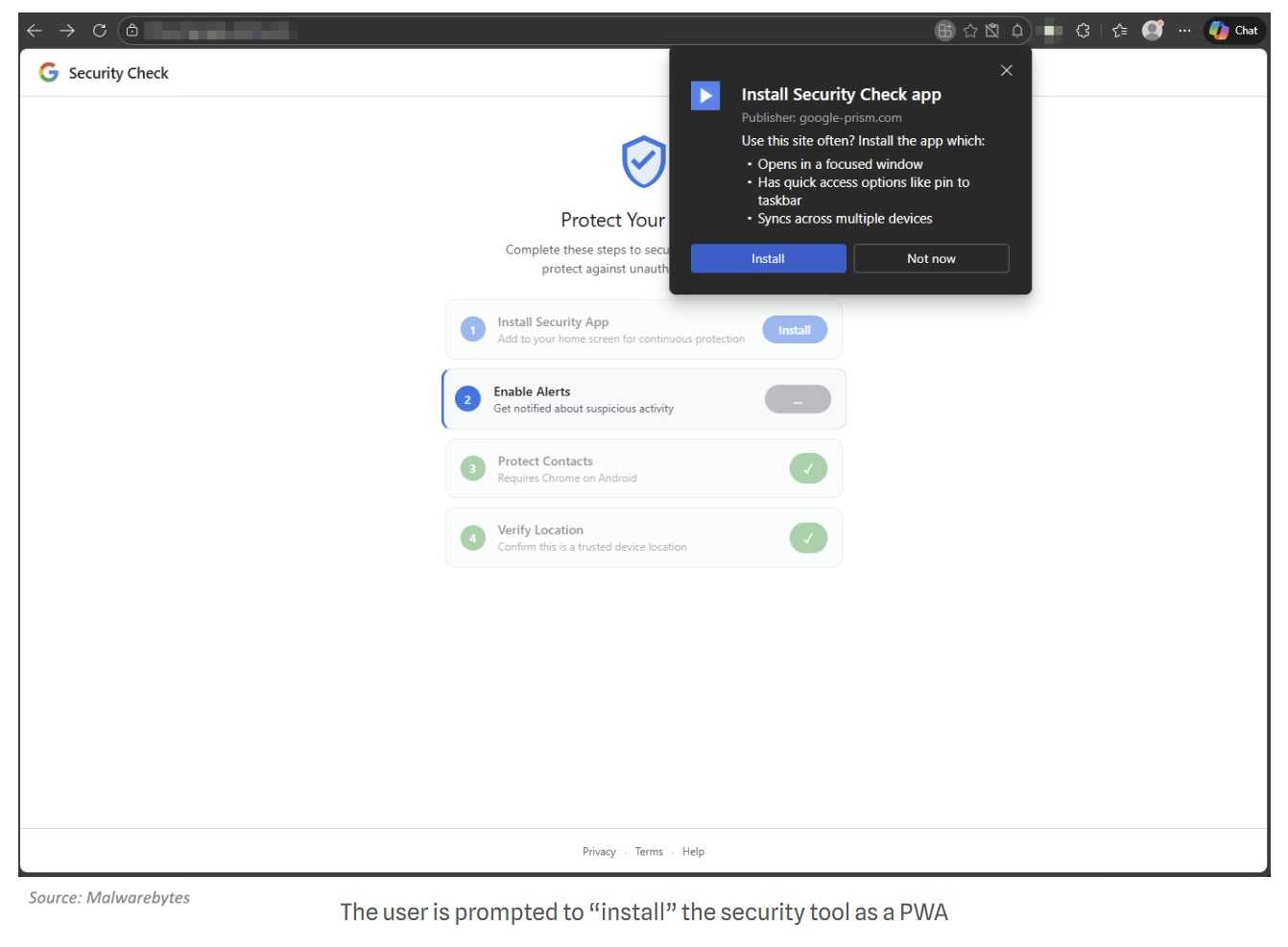
Instead of protecting your account, it starts collecting your data.
According to Malwarebytes, the fake tool can request access to your contacts, track your real-time location, read your clipboard, and even intercept one-time passcodes used for two-factor authentication. Think of it as handing over your house keys, alarm code, and security camera feed… all at once.
One particularly sneaky detail: the scam can install as a web app that looks like a normal app, even hiding the browser address bar to appear more trustworthy.
The takeaway is refreshingly simple. Google does not ask you to install security tools from pop-ups or random links. If you get a surprise “security alert,” don’t click. Instead, go directly to your Google account through a trusted URL.
Sometimes, the biggest threat isn’t a hacker breaking in, it’s a convincing fake asking politely to be let in.
For banks and credit unions
Share this article with your members
Copy a ready-made summary and link for your newsletter, website or social posts.