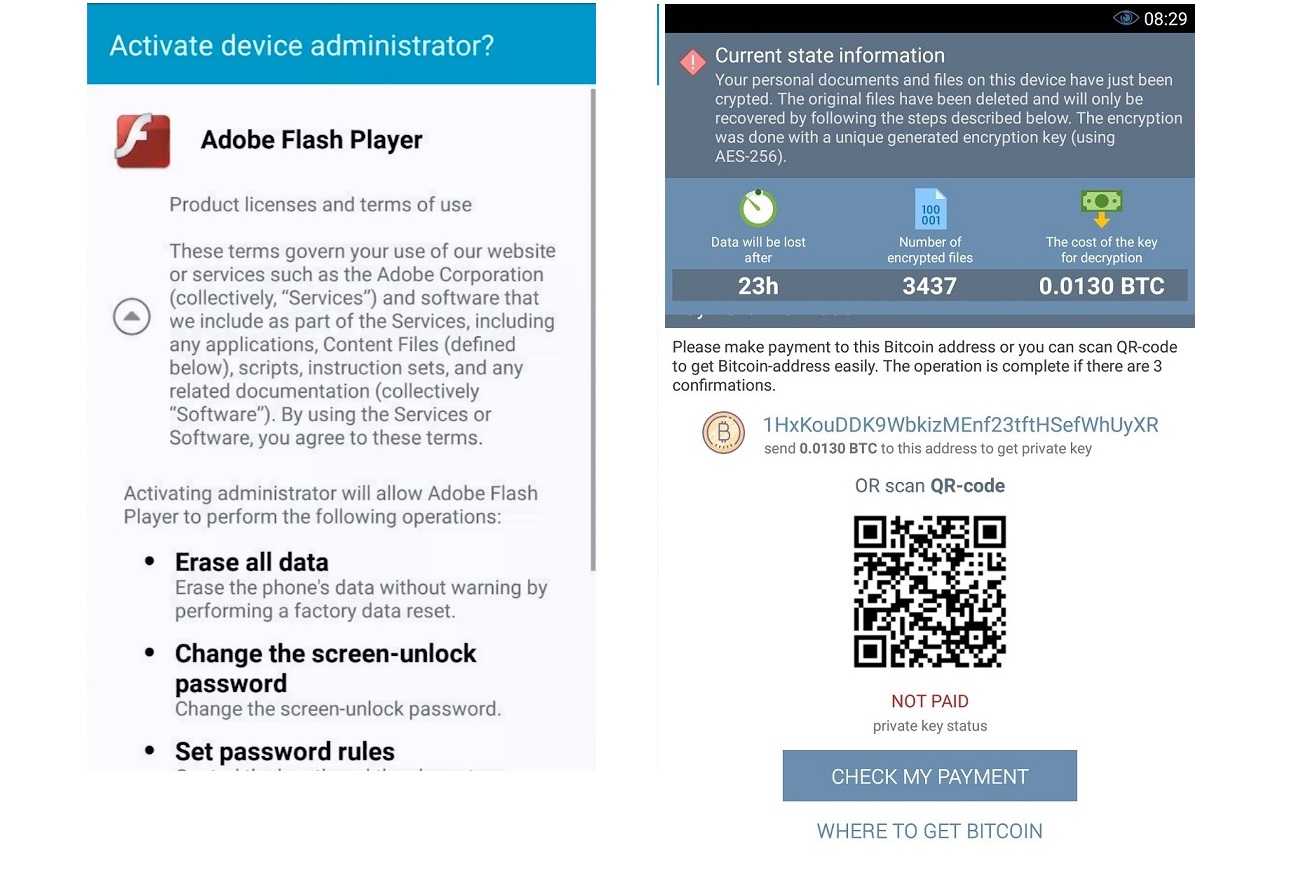
In case you missed it, Android does not support Adobe Flash and therefore you will not see a genuine update notification…ever again. So, if you are sideloading an app to your Android device and it lets you know you need to update your Adobe Flash before using it, you should cancel out immediately. To borrow from the popular board game, Monopoly, do not pass go and do not collect $200. That’s because it’s likely ransomware and will change your secret PIN code to your device and lock you out of it until you pay up.
This recent version of malware was discovered by researchers at ESET. It’s being called DoubleLocker because it first tries to clear out your bank or PayPal account and then will lock your device and ask for ransom, packing a double punch.
Sideloading means downloading apps from locations that are not the official app stores for your devices. Generally, these official app stores are the Apple Store for iOS, Google Play for Android, and BlackBerry World for Blackberry. There are others and if you have a device from another manufacturer, you should make sure you know the official app store.
While downloading from the official stores does not guarantee you will not end up with something you’d rather not have on your device, it poses much less risk than third party sites. That's because to be placed into those stores, the products must go through additional security scrutiny that they may not need to for the other locations.
In the case of DoubleLocker, the user is asked to give the app administrator rights. If given, the ransomware is activated, the PIN is changed, and the ransom is required.
 So, make sure you always back up your devices to a separate location. This can be a to your computer, to an external hard drive, or to the Cloud. This way, if your device is locked for any reason, you can quickly and easily restore it from a recent backup.
You should also never give administrator rights to an app. The vast majority of them just don’t need it. If they do ask for those, you should consider the app malware and cancel out of the installation immediately.
If you don’t have a current backup, there is still hope. You can do a factory reset of your device to rid it of the malware. However, you will lose all files you have on there. Keep your devices updated with the latest versions as soon as you see that notification indicating that one is available. Don’t forget to use antivirus software on all your devices.
For banks and credit unions
Share this article with your members
Copy a ready-made summary and link for your newsletter, website or social posts.