As popular and widely used as public WiFi is, there are dangers inherent in using it. Apple’s recent iPhone bug is a sure example of how using public WiFi can go terribly wrong. Mobile security firm, ZecOps, found this bug can lead to remote code execution (RCE) zero-click attacks on iPhones with the help of public WiFi. Hackers create their own WiFi hotspots, especially in areas heavily populated like shopping malls and airports. When iPhone owners use public WiFi to purchase something or check their bank account, hackers sitting on the WiFi connection simply wait for them to give up their valuable data.
In this way, an attacker gets access to a user’s device (in this case an iPhone) and that includes the ability to make changes to that device, wherever it’s located. ZecOps explains this bug is a zero-click flaw allowing bad actors to infect an iPhone without any interaction with its owner. They can also steal sensitive data from it including any stored content and any content being entered in real time. Think passwords, banking info, pictures, texts, emails, and more…in the hands of a cybercriminal.
2
 There’s a security patch available from Apple to fix this flaw. In addition, some WiFi settings and precautions can be taken to help prevent public WiFi exploitation.
- Apply the latest iOS 14.4 update which contains a fix for the flaw. The longer you wait, the more vulnerable you are.
- If your iPhone has iOS versions from 14.0 to before 14.3, not updating the flaw can allow RCEs to happen.
- Check if your WiFi is configured using Auto-Join, which is the default setting. Changing it to “Off” or “Ask to Join Networks” will prevent being automatically connected to public WiFi. Or you can turn WiFi off altogether.
- Don’t use public WiFi to do any tasks involving critical information like passwords, purchases or banking.
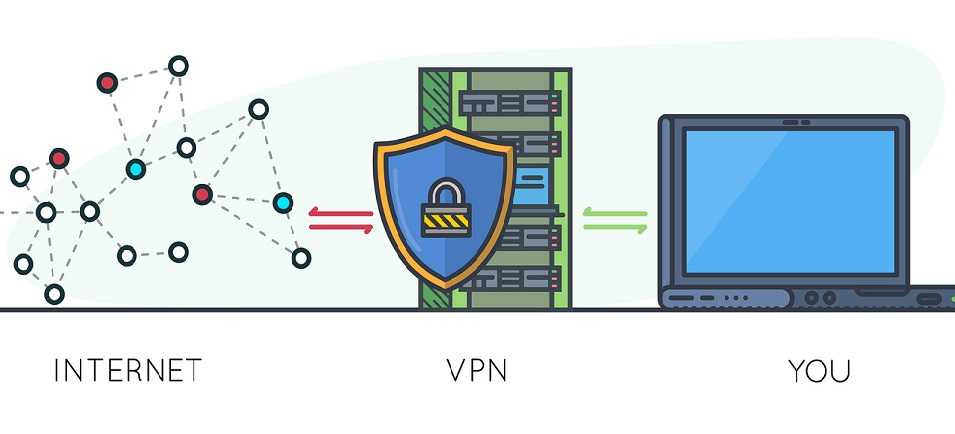
- Consider getting a VPN (virtual private network) for your iPhone and other devices, especially if you frequently need to send sensitive information, such as for work. Shop around for VPN prices and services as they’re not all created the same.
For banks and credit unions
Share this article with your members
Copy a ready-made summary and link for your newsletter, website or social posts.