
Not everyone enjoys technology, but most are forced to embrace it in some way these days. Even if you hate it, it’s here to stay. If you're a skeptic or just extra cautious, do your best to be informed about online security. Below are a few tips when you're ready to dip your toe in the online pool.
2
 It’s not news that strong passwords are highly recommended and often mandatory these days. At a minimum, they should be eight characters and include a combination of upper and lower case letters, at least one number, and a special character; or several of them. Avoid using dictionary words or information that is private or easy to guess, such as birthdates of loved ones.
Every online account should have a unique user name and password combination. Yes, it’s tough to keep track of them all, but find a way to remember them or write them on paper and lock them in a cabinet in your home somewhere.
Rotate the use of your passwords. Change them as often as possible, but at least quarterly is the recommended schedule.
When two-factor authentication is offered, take advantage. This means to use more than one way to confirm the user’s identity. Often it means receiving an email or text with a code that needs to be entered before the site will allow access. However, there are other ways this can be done as well.
2
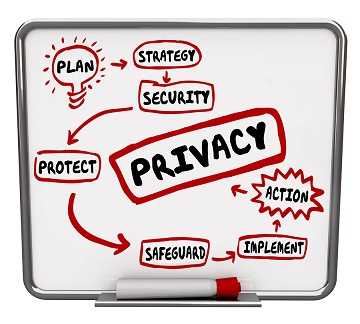 Know what operating system is on your computer. It will typically be some version of Microsoft Windows or Apple iOS. However, there are others as well. Keep it updated with the latest fixes and version updates so that it continues to be supported by the vendors.
Even if it isn’t reasonable or possible to update the operating system every time a new one is released, ensure that all critical and security updates are applied as soon as they are made available.
Install some type of anti-malware and antivirus protection on the computer. There are many choices ranging from basic protection against viruses to more thorough solutions that act as personal firewalls. The price ranges are vast as well; from free to hundreds depending on individual needs.
2
 Get into the habit of backing up important files and programs. There are many ways these can be lost, including a hard drive failure or getting infected with ransomware that holds your files hostage until money is paid to a bad guy. Backups can be done easily to an external hard drive. Some are so simple that they just need to be plugged into the computer with a USB connection and the hard drive just grabs the files.
Copying them to some type of cloud service is also an option. Many vendors offer this service and some provide a basic amount of storage space at no charge. The more space needed, the more it costs.
Do these backups regularly, depending on how often your data changes. The more recent the backup, the less re-work needed should the backed up files be necessary to retrieve.
2
 There are tools that help keep your information and equipment safe. Some are locks to keep a thief from walking off with the computer and others are software solutions such as Virtual Private Networks (VPN) and solutions for encrypting software. Also, make sure the popup blockers are switched on for each browser used when surfing the Web and consider getting an ad blocking software. This will help to avoid accidental clicking on malicious ads.
2
 Most who are skeptical of new technology and particularly online technology may not be as likely to use social media. However, even those who don’t like sites such as Facebook and Instagram, may have a need for using business-related social media. Use caution, regardless of the website, about connecting with those who are strangers. Just as using the sixth sense out in the physical world, it comes in handy here too.
2
 It is nearly impossible to be a consumer without using email. When opening email messages, be extra certain the sender is trustworthy. If there are attachments or links included, don’t open them unless it is absolutely safe. Take extra time to learn how to identify phishing email messages. This is the number one way in which malicious programs are let loose on computers.
There is plenty of information on products and safe browsing habits and it can even be found in books that can be physically held in hand. So, jump on in to the virtual world. The water’s fine!
For banks and credit unions
Share this article with your members
Copy a ready-made summary and link for your newsletter, website or social posts.