
Off on your summer vacation? It’s likely you can log in from anywhere at any time to keep attached to the grid. Before you hit the road for your summer trip, make sure you and the kids keep basic security practices at the top of your minds.
 Make sure those phones, tablets, and laptops are locked when not being used. It’s reported that around 100 smart phones are lost or stolen every minute in the United States. With all the information that is stored on those devices, you probably want to keep it secured. It is best to set them to auto-lock after a short time period (such as two minutes) just in case you forget to manually do it. When you do this, make sure it cannot be unlocked without entering a passcode. That may sound very elementary, but some people just lock it to behave as a screen saver; but then anyone can just unlock it and go to town retrieving information.
- When choosing a passcode, make it as long as possible. Every extra digit takes 10 times as long for someone to crack the code. Just don’t make it your birthdate or some other code that is easily associated to you.
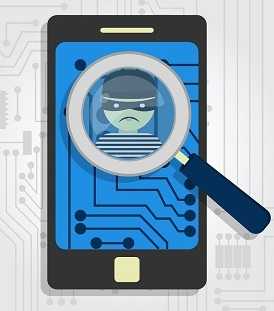 Consider activating the option to wipe the device after so many incorrect passcode guesses. It’s easy to lose things when you’re traveling. You can also enable the “find my phone” feature, if it exists for your device so that if it’s lost, you can locate it.
- If possible, use the option to encrypt the data when it is locked. This means that if someone tries to retrieve the data off the flash memory to read on another device, he still won’t be able to read it without a key.
- Don’t assume that all the free WiFi you come across on that trip is secure. Even if a connection requires a password that you get from the cashier, it doesn’t mean it’s safe to use it. It’s better to use your cell phone connection from a security standpoint.
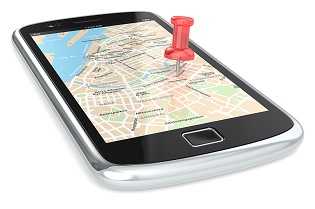 Consider turning off the GPS functionality (or geolocation) on all your mobile devices. These track your location, attach that information to your photos and posts, and subsequently may get sent out when you post to social media. If someone figures out you are not home, it makes your empty abode a nice target for a thief. Even if your furnishings are hand-me-downs or in bad shape, the information that can be found in your files or your mail can be valuable to an identity thief.
 While it might be rare that you need to use a public computer or even an ATM these days (doesn’t every business take credit cards these days), use caution if you do find yourself in this position. Public computers are often loaded with malware that can steal your information, such as your banking login credentials. Devices can be attached to ATMs and even to cash registers, called skimmers that can read the data off your debit card and steal your PIN and the details on the magnetic strip. Check for this before putting your card into the slot. Give it a jiggle and if it comes off, it’s a skimmer. Go to another machine.
- If anything seems out of place or uncomfortable about a place where you want to use a credit or debit card, don’t feel bad for leaving and going elsewhere. If that uncomfortable feeling happens after your card has been used, use your smart phone to check your account right away. Report anything suspicious to your card issuer.
 Just because you’re on vacation from your daily routine, doesn’t mean you should take a vacation from applying patches and updates as they are available. Turn on auto updates if it makes it easier to keep up while away.
- Secure the devices the kids will be using too. They might be older tablets, but that just means they may be even more vulnerable if they are not up-to-date. Apply the patches and updates before you go.
Vacations are intended to alleviate stress. Take a few minutes to secure your devices in advance and you won’t have a digital mess to deal with when you get home. You don’t take vacations from your physical security, so why would you with your information security? Happy and safe travels!
For banks and credit unions
Share this article with your members
Copy a ready-made summary and link for your newsletter, website or social posts.