

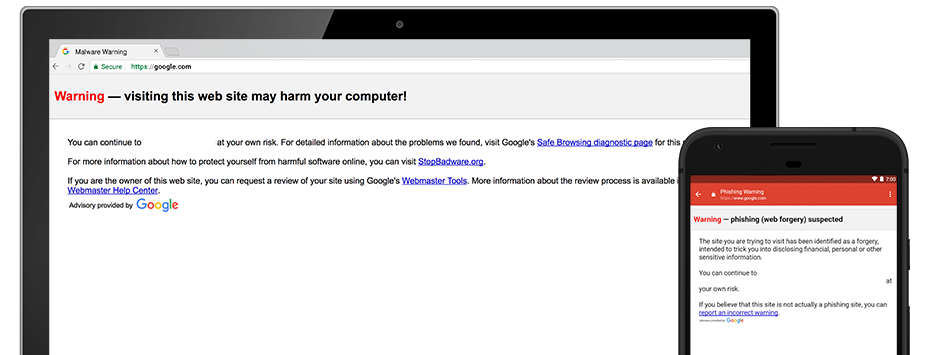
Sometimes people feel Google is the big, bad, data-collecting wolf. Other times, it uses the data from billions of scanned emails, apps, and web pages for good. In this case, it used data about phishing websites to create a predictive phishing feature for its Chrome browser. However, this technology should never be an excuse to let your guard down. Phishing scammers are more sophisticated than ever, and they certainly won’t quit just because of some new technology.
Google has included this functionality it its Safe-Browsing filter, which is also used by Apple and Mozilla for their products. It scans for malicious web pages and sends off a warning to users when they try to visit one of them. While this is all fine and dandy, there are still malicious websites that go up constantly that don’t immediately get detected. That’s why you always must watch for these attacks yourselves.
 If you receive an email, text message, or phone call from someone that is unsolicited or unexpected, be wary of any information requested. If it’s in the form of a link or attachment, don’t immediately click. If it’s a phone call, don’t give personal information without separately verifying the source. This means, finding a phone number from the company’s website or other means. Don’t return calls to numbers included in email messages or given by a caller if these are unexpected and don’t reply to suspicious email messages.
Don’t fall for threats. If someone calls claiming you will be fined, arrested, or even deported for not complying with a request, it’s likely a scam.
If there is a sense of urgency that you must verify information right away by clicking a link or filling in a form, it’s likely a scam. Go into any online accounts by heading over directly to the company’s website and logging in to your account. It’s handy to bookmark frequently visited websites, especially for financial and healthcare related accounts so that you don’t mistype them and become a victim of a typosquatter.
Google is constantly using the data it collects to improve the overall internet experience for users. But don’t count on any company or product to look out for you 100%. No one product will ever be able to filter out threats completely. Being aware of ongoing threats and listening to that sixth sense is invaluable as well.
For banks and credit unions
Share this article with your members
Copy a ready-made summary and link for your newsletter, website or social posts.




