

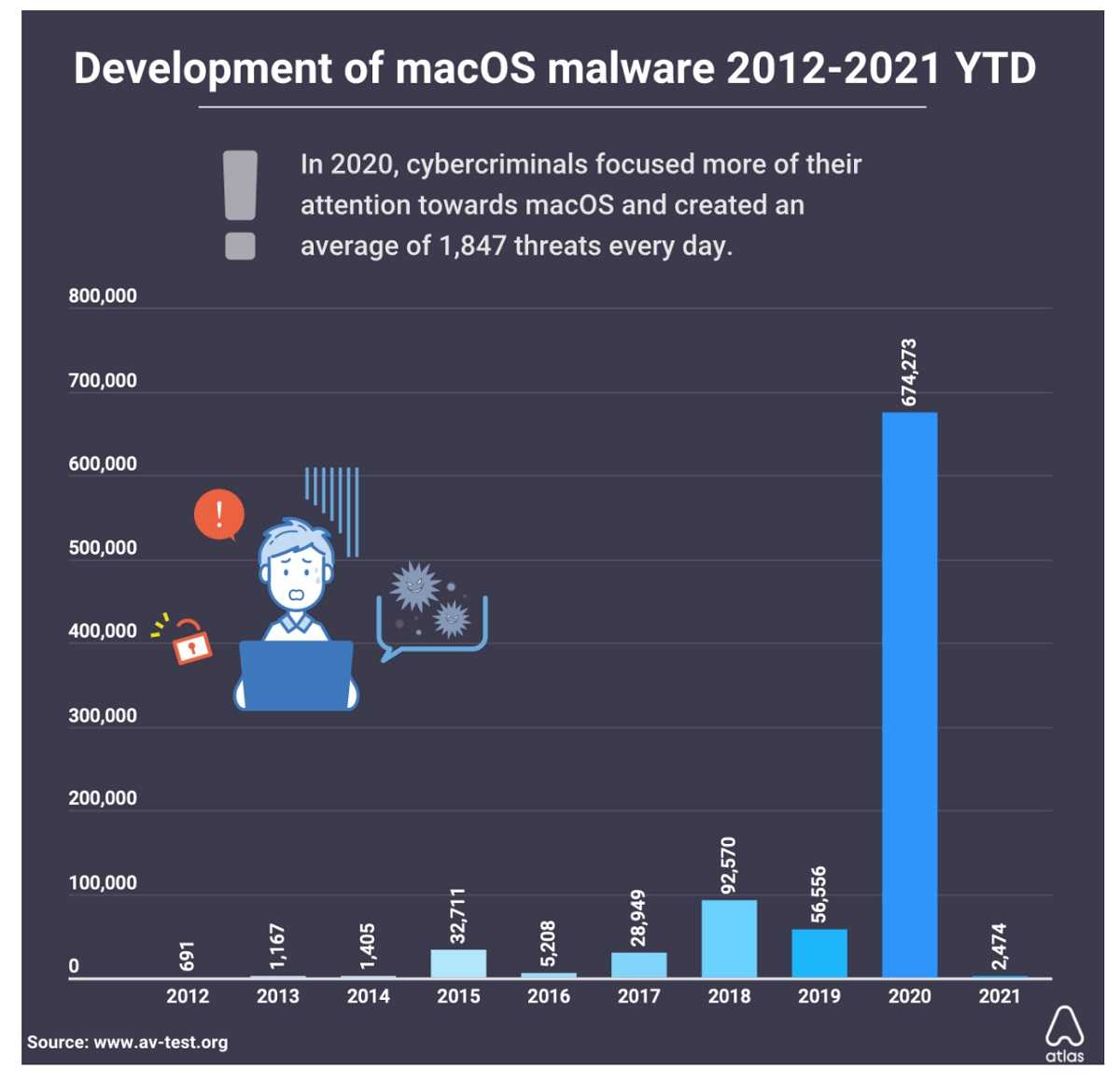
From smartphones to laptops and computers, if you use Apple devices and Google Chrome browser, know your devices are currently at risk of attack by a newly improved malware. A discovery by TrendMicro finds malware known as XCSSET recently received a dangerous upgrade that puts Apple’s Mac operating system (macOS) and its users at risk. Like much of malware that returns with a vengeance, XCSSET did just that, and more.
With XCSSET originally discovered last year, devices using macOS 11 Big Sur with Apple’s new M1 processor chip are now particularly vulnerable to this malware and its current upgrade. XCSSET’s authors altered the malware’s code to include compatibility with macOS 11 system updates. That change means devices running macOS 11, especially those also using Google’s Chrome browser, are targets since the improved XCSSET can now avoid current macOS 11 security updates.
2
An infected device uses a malicious AppleScript file to compress the folder with Telegram data, turning it into a .ZIP archive file. Once done, the .ZIP is uploaded to a remote server controlled by hackers. This allows them to log on and abuse a victim’s accounts. For Google Chrome users, XCSSET tries to trick its victims into handing over access to iCloud’s Keychain, where all stored passwords are kept on a macOS device. Once XCSSET has the Keychain master password, all usernames and passwords stored by Google Chrome are sent to the same remote server. The malware can even heist data from apps like Skype, Contacts, WeChat, and more.
2
 There are ways to put roadblocks between a device and malware like XCSSET. Make sure to install and run antivirus software on all devices, and always keep all software and apps updated. Updates are an important way to keep software as safe as it can be since they typically include fixes to security flaws. You can always choose not to store passwords on Google Chrome and instead keep them out of the Keychain and away from a device. In fact, this is recommended. Remember, the more security obstacles there are between a device and the malware knocking on its door, the more likely a bad actor is to move on to an easier target.
For banks and credit unions
Share this article with your members
Copy a ready-made summary and link for your newsletter, website or social posts.




