
The latest cyber danger isn’t a mysterious bug or secret flaw hidden deep inside your Mac. It’s a simple Google search phrase that’s being used like bait to trap unwary people into a harmful trick. When millions of Apple users search for two particular words, the phrase many people casually type when they want tools to “clean up” their Mac, they can be steered toward fake Apple support pages that look real but are built to deceive.
These phony pages show up as sponsored results at the top of Google, so they seem legitimate. But once someone lands there, the page tells them to open the Mac’s Terminal; a part of the system most users never touch. Then they are asked to run some commands. But, as you may have guessed, those commands don’t help clean the system as promised. Instead, they quietly download and run harmful software that gives attackers full access to the computer.
Screenshot of the app (Mac Cleanup Pro) promoted by scammers:
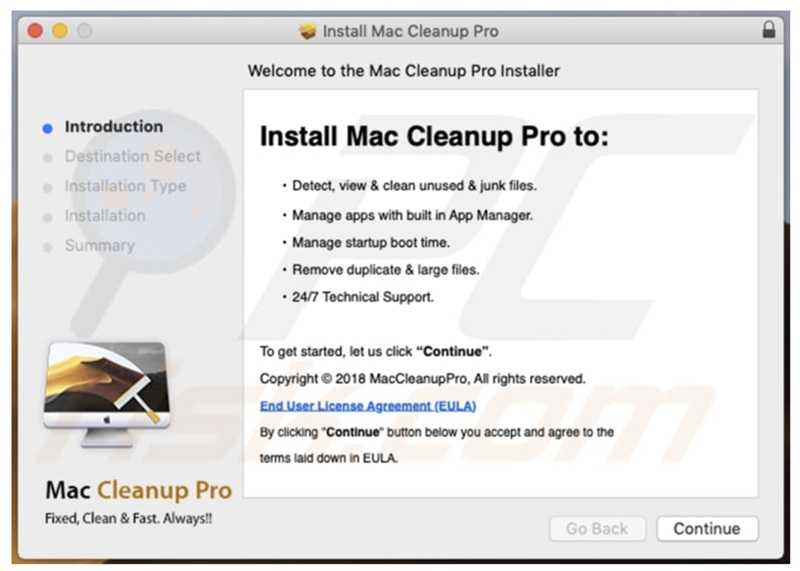
Who’s at risk? Anyone with a Mac who searches online for maintenance tools outside of the official Apple App Store or trusted software sources. If you click an ad instead of going straight to Apple’s website or known apps, you could fall into this trap. So, what does this tell you? Don’t download apps from other places besides the official app stores. This goes for any type of device you may have.
How people fall for it: The fake page looks convincing, mimicking Apple’s design. The instructions sound technical and official. But the real danger begins when a user copy-pastes commands into the Terminal, unknowingly giving malware unfettered access.
Simple safety rule: Never copy and paste commands into Terminal from a Google search result. The average user should never need to do this. Instead, stick to apps from the Mac App Store and support information directly from Apple.
For banks and credit unions
Share this article with your members
Copy a ready-made summary and link for your newsletter, website or social posts.